
Custom Form Apps for Your Business Website
Build interactive forms that capture leads, collect feedback, and streamline your data collection. No coding required.
Why Build a Form App?
Custom forms help you collect valuable data from your visitors while providing a seamless user experience.
Capture Quality Leads
Create custom lead capture forms that collect exactly the information you need from potential customers.
Collect Feedback
Gather valuable customer feedback with surveys and feedback forms to improve your products and services.
Automate Workflows
Connect forms to your existing tools and automate data collection, saving time and reducing errors.
Types of Form Apps You Can Build
Create any form to fit your business needs. Here are some popular options:
1Lead Generation Forms
Capture contact information from interested visitors with customizable lead capture forms.
2Survey & Feedback Forms
Gather insights from customers with surveys, satisfaction forms, and feedback collection tools.
3Registration Forms
Create event registration, webinar signups, or membership application forms with custom fields.
4Application Forms
Build job applications, loan applications, or any multi-step application process.
Powerful Form Builder Features
Everything you need to create professional, interactive forms without writing any code.
Drag & Drop Interface
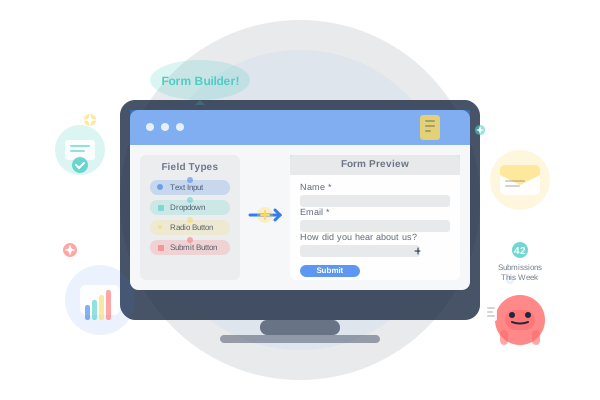
Simply drag and drop field types to build your form. Rearrange fields with ease to create the perfect layout.
Smart Validation
Set up custom validation rules to ensure data quality. Support for required fields, email validation, and more.
Customizable Design
Match your brand with custom colors, fonts, and styling. Make your forms look native to your website.
Conditional Logic
Create dynamic forms that adapt based on user responses. Show or hide fields conditionally for better UX.
Email Notifications
Get instant notifications when forms are submitted. Send confirmation emails to respondents automatically.
Submission Tracking
Track all form submissions in one place. Export data for analysis or integrate with your CRM.
Form App Best Practices
Design Tips
- Ask only what you need
Keep forms short to increase completion rates.
- Use logical grouping
Group related fields together for better user flow.
- Provide clear error messages
Help users fix mistakes with specific guidance.
- Show progress indicators
For multi-step forms, show users where they are.
Conversion Tips
- Place forms strategically
Position forms where users expect them.
- Offer value in exchange
Give users a reason to fill out your form.
- Use smart defaults
Pre-fill information when possible to save time.
- Test and iterate
Use analytics to improve form performance.
Ready to Create Your Form?
Join thousands of businesses using interactive forms to capture leads and gather valuable data.