
Custom Calculator Apps for Your Business Website
Build interactive calculators that engage customers, generate leads, and boost your conversions. No coding required.
Why Build a Calculator App?
Custom calculators provide value to your visitors while helping you grow your business.
Boost Engagement
Interactive calculators keep visitors on your site longer and provide a memorable experience that static content can't match.
Generate Leads
Capture valuable leads by offering to email calculator results to your visitors, growing your contact list with qualified prospects.
Demonstrate Value
Show visitors exactly how much they can save, earn, or benefit from your products or services with concrete numbers.
Types of Calculator Apps You Can Build
Create any calculator to fit your business needs. Here are some popular options:
1Pricing & Quote Calculators
Help customers understand your pricing structure and get instant quotes based on their specific needs.
2ROI & Savings Calculators
Demonstrate the return on investment or cost savings your products or services provide over time.
3Financial Calculators
Create mortgage, loan, investment or budget calculators to help users make informed financial decisions.
4Health & Fitness Calculators
Build BMI, calorie, macro nutrients, or fitness goal calculators to engage your audience.
Powerful Calculator Builder Features
Everything you need to create professional, interactive calculators without writing any code.
Drag & Drop Interface
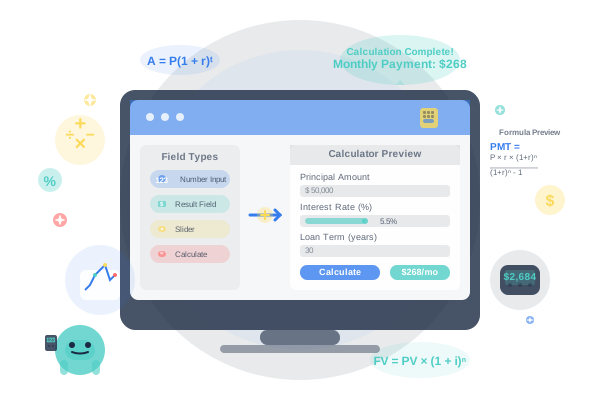
Simply drag and drop field types onto your calculator canvas. Rearrange them with a click to create the perfect layout.
Powerful Formula Engine
Create complex calculations with our intuitive formula builder. Supports nested formulas, conditional logic, and more.
Customizable Design
Match your brand with custom colors, fonts, and layouts. Make your calculator look like a seamless part of your website.
Conditional Logic
Create dynamic calculators that show or hide fields based on user inputs, creating a personalized experience.
Email Capture
Generate leads by offering to email calculation results to your visitors, capturing their contact information.
Analytics & Tracking
Monitor calculator usage, conversion rates, and user behavior to optimize your marketing efforts.
Calculator App Best Practices
Design Tips
- Keep it simple
Focus on essential inputs to avoid overwhelming users.
- Use clear labels
Make sure users understand what each field represents.
- Add helpful tooltips
Provide guidance where users might need additional information.
- Highlight results
Make your calculation results stand out visually from inputs.
Conversion Tips
- Add a strong CTA
Include a clear next step after showing results.
- Offer to email results
Capture leads by sending valuable calculation results.
- Use sensible defaults
Pre-fill fields with common values to reduce friction.
- Test and optimize
Use analytics to refine your calculator based on user behavior.
Ready to Create Your Calculator?
Join thousands of businesses using interactive calculators to engage visitors and drive conversions.